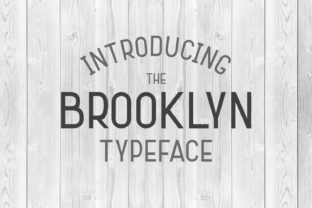
Brooklyn Sans Serif: A Typeface Built for Branding, Apparel, and Real Workflows
Choosing the right typeface for a brand or product line is rarely about picking what looks good on a screen. It is about how that font performs across materials, languages, and contexts. Brooklyn is a sans-serif typeface designed to do exactly that. It works on clothing, holds up in logos, supports multiple languages, and comes with a bonus catchwords font in both regular and italic versions. This article walks through what Brooklyn is, where it fits in a design or branding process, and how to integrate it into real projects without friction.
What Brooklyn Brings to the Table
Brooklyn is not just another sans-serif. It is a complete pair of typefaces: a main sans-serif family and a catchwords companion, each available in regular and italic cuts. The catchwords font is a curated set of decorative or stylistic words and phrases that save designers time when adding emphasis or visual flair to headlines, logos, or apparel graphics. Multi-lingual support means it works across Latin-based languages, making it viable for international branding, packaging, or web projects that serve diverse audiences.
The design itself leans clean and geometric but with enough warmth to avoid feeling sterile. That balance is what makes Brooklyn suitable for both digital interfaces and physical goods like t-shirts, hats, and signage. When you evaluate a typeface for production, you need to know how it behaves at small sizes, how it renders in embroidery, and how it reads from a distance. Brooklyn holds up in all three.
Where Brooklyn Fits in a Branding Workflow
A typeface selection usually happens in the middle of a branding process—after strategy and before full asset production. Brooklyn fits naturally at that point. You have already defined the brand voice and target audience. Now you need a typeface that can carry that voice across every touchpoint: logo, website, packaging, social media, and merchandise.
One common mistake is choosing a display font for a logo and then struggling to find a matching body font. Brooklyn solves that because it works as both. The regular weight serves well for body copy, while the catchwords version gives you ready-made emphasis for headlines or taglines. That reduces the number of typefaces you need to manage in a single project, which simplifies file organization and maintains visual consistency.
If you are a freelancer or a small business owner managing your own brand, this consolidation is valuable. Fewer fonts mean fewer licenses to track, fewer loading issues on the web, and fewer surprises when you hand files to a printer or embroiderer.
Implementation Before Production: Planning for Apparel and Logos
Using Brooklyn in apparel and logo design requires some upfront planning. The typeface was built with these applications in mind, but the production method matters.
Preparing Files for Embroidery
When Brooklyn goes onto clothing, the strokes and letterforms need to be clean enough for stitch paths. Sans-serif fonts are generally easier to embroider than serif fonts because they lack thin hairlines and delicate details. Brooklyn's geometric shapes translate well into thread, especially at medium to large sizes. Before sending files to a digitizer, convert the text to outlines and simplify any overlapping shapes. The catchwords font, which may contain connected or decorative lettering, should be reviewed stitch by stitch. Some catchwords may require slight manual adjustments to avoid dense thread clusters that pucker fabric.
Logo Application on Different Substrates
Logos using Brooklyn can be applied to apparel through screen printing, heat transfer, direct-to-garment printing, or embroidery. For screen printing, the typeface's even stroke weights mean fewer halftones and less risk of ink bleeding. For heat transfers, the clean contours prevent ragged edges. The multi-lingual support becomes relevant here if your brand sells in multiple regions. You can keep the same typeface for different language versions of a logo, preserving brand recognition across markets.
Using Brooklyn in the Design Process: Before, During, and After
Typefaces are not static assets. They appear at multiple stages of a creative project. Here is how Brooklyn fits into a typical workflow from start to finish.
Before the Project: Research and Selection
When you are evaluating typefaces for a new brand or product line, test Brooklyn in real context immediately. Drop it into a mockup of a t-shirt, a website header, and a business card. Look at how the catchwords pair with the main font. Do they feel like the same family? Yes, because they are designed to complement each other. The catchwords add a decorative punch without requiring a second typeface license. That saves time during the research phase and reduces the number of variables you need to compare.
During the Project: Iteration and Layout
During active design work, Brooklyn's italic cuts become valuable. Italic versions of both the regular and catchwords fonts exist, so you can add emphasis without switching to a completely different typeface. This is useful when creating apparel graphics that need hierarchy—perhaps a brand name in regular weight and a slogan or catchword in italic. The consistency keeps the design unified even as you vary the style. For multi-page brand guides or lookbooks, use regular for body text and italic for captions or pull quotes. The multi-lingual support means you can also use the same layout for bilingual publications without swapping typefaces mid-document.
After the Project: Asset Handoff and Production
When handing off files to a manufacturer or client, Brooklyn's structure makes the process cleaner. Package the fonts with the project files or include a note about licensing. Because the typeface includes both regular and italic for the main and catchwords versions, the recipient has everything they need to make future edits without hunting for missing styles. This is particularly helpful for small business owners who may not have a dedicated design team. They receive a self-contained type system, not a fragmented set of font files.
Practical Workflow Examples
Seeing Brooklyn in action across different scenarios helps clarify how to integrate it. Below are three workflow examples covering common use cases.
Example 1: Apparel Brand Launch
A streetwear brand needs a consistent look across hoodies, caps, and bags. The designer selects Brooklyn as the primary typeface. For the main logo, the brand name uses the regular weight in all caps. For limited edition drops, the catchwords font provides ready-made phrases like "limited edition" or "exclusive" that appear on sleeve labels or hang tags. The italic version of the catchwords adds variety for seasonal graphics. The brand uses the same typeface for its website, maintaining visual continuity between the online store and physical products. Multi-lingual support lets the brand expand into European markets without redesigning the logo.
Example 2: Small Business Rebrand
A coffee roaster is updating its packaging and logo. The owner wants something modern but approachable. Brooklyn is chosen because it works on coffee bags, signage, and social media. The main regular weight is used for the logo. The catchwords font provides "single origin" and "small batch" for bag labels. Italic versions are used for tasting notes on the website. The rebrand uses one typeface family, so the owner does not need to learn or license multiple fonts. Packaging files are easier to update because the entire brand language fits in a single font folder.
Example 3: Freelance Identity System
A freelance designer is creating their own visual identity. They need a logo, business cards, a portfolio site, and proposal templates. Brooklyn covers all of these. The regular weight is used for the name in the logo. The catchwords font adds a creative element to the homepage header. Italic regular is used for project descriptions. The designer can reuse the same typeface for client presentations, which builds recognition. Multi-lingual support means if they take on international clients, they can produce proposal materials in multiple languages without sourcing a new typeface.
Factors to Consider for Long-Term Use
Integrating Brooklyn into a routine works best when you pay attention to a few practical factors.
Licensing. Confirm the license covers your intended use, especially for apparel manufacturing and logo usage. Some typeface licenses restrict commercial production or limit the number of users. Read the terms carefully so you are not caught off guard when scaling production.
File organization. Because Brooklyn comes in multiple styles (regular, italic, regular catchwords, italic catchwords), keep them labeled clearly. A naming convention like Brooklyn-Regular, Brooklyn-Italic, Brooklyn-Catchwords, and Brooklyn-CatchwordsItalic prevents confusion when team members or clients access the files.
Consistency across mediums. Test how the catchwords font renders at small sizes. Some decorative or connected lettering may cluster at tiny point sizes. For embroidery or small print, consider using the regular font for legibility and reserving the catchwords for larger applications like back-of-shirt graphics or poster headlines.
Multi-lingual check. If your audience includes speakers of different languages, run a test with common strings for each target language. Look for diacritics, accented characters, and special punctuation. Brooklyn's multi-lingual support covers the basics, but confirming coverage for your specific use case avoids surprise omissions during production.
Observations on Efficiency and Quality Control
One of the strongest arguments for using a typeface like Brooklyn is the efficiency gain in the design process. When a single typeface family covers body text, headlines, logos, and decorative elements, you spend less time choosing and testing fonts. That time goes back into refining the design or managing production details.
Quality control improves as well. With fewer typefaces in play, there is less risk of accidental font substitution when files move between computers or printers. The italic and catchwords variants ensure you do not have to mimic styles using fake bolds or italics, which degrade quality. Every piece of text stays crisp and intentional.
For educators, bloggers, and publishers who work with templates and recurring formats, Brooklyn offers consistency across issues or seasons. A newsletter that uses Brooklyn can keep the same type system for months or years without feeling stale. The catchwords font allows for fresh emphasis in each edition without altering the overall layout. That kind of dependable performance is what makes a typeface a long-term asset rather than a one-project experiment.
Final Thoughts on Integrating Brooklyn
Brooklyn is not a novelty typeface. It is a functional tool for people who need a sans-serif that works in the real world—on shirts, on signs, on screens, and across languages. Whether you are launching a clothing line, refreshing a business identity, or building a publishing template, the combination of regular and italic main fonts plus the catchwords variant gives you a complete typographic system in one package.
The key to smooth integration is treating Brooklyn as your baseline from the start. Test it early, document how you plan to use each style, and confirm production compatibility with your chosen methods. Once that is in place, the typeface handles the rest. You focus on the creative work, and Brooklyn takes care of the text.
For professionals, creators, entrepreneurs, and anyone else managing a brand or product line, that is exactly the kind of tool worth having in the workflow.