Ovine: A Sans Serif Font for Clean, Relaxed, and Readable Design
Choosing the right typeface is one of those decisions that can quietly shape how people perceive your work. Whether you are drafting a client proposal, laying out a landing page, or formatting an internal handbook, the font you select carries more than just letters — it carries tone, pace, and clarity. That is where Ovine enters the conversation. Ovine is a sans serif font that gives off a relaxed, sweet, and clean vibe, while remaining easy to read across a wide range of contexts. It works well for body text, headers, and everything in between. This article walks through what Ovine is, where it fits in a practical workflow, and how you can integrate it into your own projects without overcomplicating your process.
Understanding Ovine and Its Place in a Design Workflow
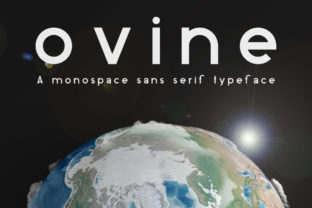
Ovine is not a decorative or experimental typeface. It is a utilitarian sans serif with a soft, approachable character. The letterforms are clean, with generous spacing and a balanced x-height that supports legibility at small sizes. The relaxed feel comes from subtle curves and a slight roundness that avoids the stiffness of strict geometric sans serifs. This makes Ovine a strong candidate for projects where you want to communicate openness and clarity without sacrificing professionalism.
In a typical workflow, font selection happens during the planning or early design phase. You might be defining brand guidelines, building a presentation template, or choosing a font for a blog theme. Ovine fits naturally at that stage because it reduces the need for multiple fallback typefaces. Its versatility as both a body and heading font simplifies typography decisions, allowing you to maintain consistency across materials without juggling several font families. For teams or solo creators who prefer streamlined processes, that alone saves time and reduces decision fatigue.
Where Ovine Serves Best: Before, During, and After a Project
The value of a font like Ovine shows up across the entire lifecycle of a project, not just at the start. Understanding this can help you plan its use more intentionally.
Before a Project: Preparation and Planning
When you are scoping out a new project — whether it is a website redesign, a series of social media graphics, or a printed report — the typography groundwork often gets deferred. That is a mistake. Choosing Ovine early gives you a clear reference point for layout, hierarchy, and tone. Because Ovine is neutral without being cold, it works well for mood boards, wireframes, and early prototypes. You can test it in mockups quickly, pairing it with accent fonts or color palettes, and decide whether it aligns with the project goals before any heavy production begins.
For entrepreneurs and small business owners, this phase might include selecting a font for a new brand identity. Ovine offers a low-risk starting point because its readability and relaxed vibe appeal to a broad audience. You can build a brand style guide around it, define heading sizes, and establish body text spacing, all before the first piece of content is written.
During a Project: Active Implementation
Once production is underway, Ovine proves itself in real-time. Its legibility at various sizes means you can use it for long-form articles, product descriptions, and interface labels without worrying about eye strain. In my own experience, when I am laying out a multi-page document, I set Ovine as the body text at around 16px to 18px and use bold weights for subheadings. The font keeps the page looking airy, which reduces the need for excessive whitespace or decorative elements to break up text blocks.
For marketers and content creators, this translates to faster turnaround times. You are not constantly adjusting kerning or worrying about font rendering issues across browsers. Ovine handles well on screen and in print, so you can move from design to deployment with fewer rounds of tweaking. Bloggers and publishers will appreciate how it works in content management systems — it integrates smoothly with standard CSS, and you can link it as a web font without heavy performance costs.
After a Project: Maintenance and Quality Control
Typography considerations do not end when the project goes live. After launch, you might need to update content, add new sections, or produce additional materials. Ovine supports this long-term use because it remains consistent across formats. If you used Ovine for the original website, you can reuse the same font for an email newsletter, a PDF guide, or a slide deck without rethinking the hierarchy. This cuts down on the maintenance overhead that often creeps into ongoing projects.
For educators and publishers who produce recurring content, this consistency matters. Students or readers learn to recognize the visual language, which builds familiarity and trust. Over time, you spend less time on formatting and more on substance. That is the kind of efficiency that scales well.
How Ovine Interacts with Other Tools and Assets
No font works in isolation. Ovine fits into a broader ecosystem of design tools, platforms, and decision points. Understanding these interactions helps you integrate it more smoothly.
Design software. Ovine works with standard design tools such as Figma, Adobe Illustrator, Canva, and Sketch. You can install it locally or use it as a web font via a service. In Figma, for example, you can set up typography styles for Ovine heading levels and body text, then reuse those styles across multiple frames. This speeds up prototyping and keeps the team aligned.
Content management systems. For WordPress, Squarespace, Webflow, or custom CMS platforms, Ovine can be added via CSS or a plugin. Because it is straightforward to implement, you can usually have it running in a few minutes. Pair it with a fallback stack like Arial or Helvetica, and you ensure readability even if the font does not load.
Brand assets and guidelines. Ovine pairs well with serif fonts for contrast, such as a classic like Merriweather or a modern slab serif. If you already have a brand color palette, Ovine neutral style lets the colors stand out without competition. For teams, documenting the pairing in a style guide prevents drift as multiple people produce content.
Collaboration and handoff. When sharing files with clients or colleagues, using Ovine reduces the likelihood of font substitution issues. Its popularity and availability mean most collaborators will have access to it, or can easily obtain it. This is a small but practical detail that smooths the handoff process.
Practical Implementation Tips for Integrating Ovine
Getting the most out of Ovine does not require a steep learning curve. A few practical observations can help you avoid common pitfalls and make the font work harder for you.
- Test at multiple sizes. While Ovine is readable at small sizes, always test it at the actual dimensions you will use. For body text, aim for 15px to 18px on screens, and 10pt to 12pt in print. For headers, use a size scale that keeps the relaxed feel — avoid forcing it into oversized display roles where its subtle curves may get lost.
- Mind the line height. Ovine benefits from generous line spacing. Set line-height to around 1.5 to 1.6 for body text. This prevents the text from feeling cramped and preserves the airy quality that makes the font appealing.
- Use weight variation intentionally. Ovine comes in multiple weights. Reserve the boldest weight for primary headers, medium weight for subheads, and regular or light for body copy. This creates a clear hierarchy without extra styling.
- Pair it with a contrasting accent font. Ovine works well as a body font alongside a serif heading font, or as a heading font alongside a neutral sans serif. For most projects, one pairing is enough. Avoid using more than two distinct typefaces in a single document or interface.
- Check rendering on different devices. Even though Ovine is clean and readable, test it on mobile, tablet, and desktop. Adjust letter-spacing slightly if needed for smaller screens. A small tweak can improve legibility significantly.
Usability, Organization, and Long-Term Use
For anyone managing a content library or a growing brand, organization around typography pays off. Document where and how you use Ovine, including exact font sizes, weights, and pairings. This file can be a simple note in your project folder or a page in your style guide. When you or your team need to produce a new asset, you reference that document rather than re-deciding every time.
Long-term use of Ovine is sustainable because it does not follow short-lived design trends. Its relaxed and clean aesthetic has staying power. If you invest in a web font license or download it for desktop use, the cost is minimal compared to the time saved through consistency. Over months and years, that consistency builds a recognizable look for your work.
Efficiency also comes from reducing the number of fonts you manage. By selecting Ovine as a primary typeface, you eliminate the need to maintain a large font library. You know exactly which font to use for what, and you can produce materials faster. For freelancers and small teams working under tight deadlines, that reduction in overhead is a concrete benefit.
Observations from Real Use
I have used Ovine in a handful of projects, and a few patterns stand out. First, it performs well in collaborative environments where multiple people contribute content. Because the font is forgiving and legible, edits and additions do not throw off the visual rhythm. Second, it handles long-form reading surprisingly well. Readers tend to stay engaged because the text feels open rather than dense. Third, Ovine works for both digital and print without major adjustments, which is not true for every sans serif. If you produce both web and print materials, this dual-use capability removes the need to switch fonts between formats.
That said, Ovine is not ideal for every situation. If your project calls for a highly compressed or experimental typeface, Ovine relaxed nature may feel too neutral. Similarly, if you need extreme contrast or dramatic typography, look elsewhere. But for the majority of practical, everyday projects — reports, websites, newsletters, presentations, documentation — Ovine delivers exactly what it promises: clarity, warmth, and ease of use.
Integrating Ovine into Your Own Work or Routine
If you are ready to try Ovine, start small. Pick one recurring task — your weekly email newsletter, your blog body text, or your project proposal template. Switch the font to Ovine and adjust the spacing. Use it for two weeks. Notice how it changes the reading experience and your own editing process. From there, expand to other materials. The goal is not to overhaul everything at once, but to let the font prove itself in real use.
For productivity-minded users, this incremental approach reduces friction. You are not spending hours setting up complex typography systems. You are making one change, observing the effect, and then building on it. Over time, Ovine becomes a natural part of your toolkit, not because it is flashy, but because it works.
Ultimately, a good font does not call attention to itself. It supports the message and fades into the background. Ovine does exactly that. It gives your content room to breathe, your readers a comfortable experience, and your workflow a reliable constant. That combination — relaxed, clean, readable, and consistent — is hard to beat for the range of projects that professionals, creators, and entrepreneurs tackle every day.